Chat Backup
Archives your WhatsApp chats, contacts and media on this computer — nothing is uploaded unless you turn on encrypted cloud backup yourself.
- 1
Click the archive icon in the sidebar to open Chat Backup.
- 2
Watch the live status — chats, messages, media files and storage used are all counted as it backs up.
- 3
Optionally sign in to (or create) a cloud backup account to keep an encrypted copy online, browsable from any computer.
- 4
Use "Export" to download selected chats as a ZIP — choose HTML transcript, JSON, CSV and/or media files.
Backups stay on your device by default. Cloud backup is opt-in and encrypted — only turn it on if you want an off-device copy.
inboxcrm.extino.net — chat-backup
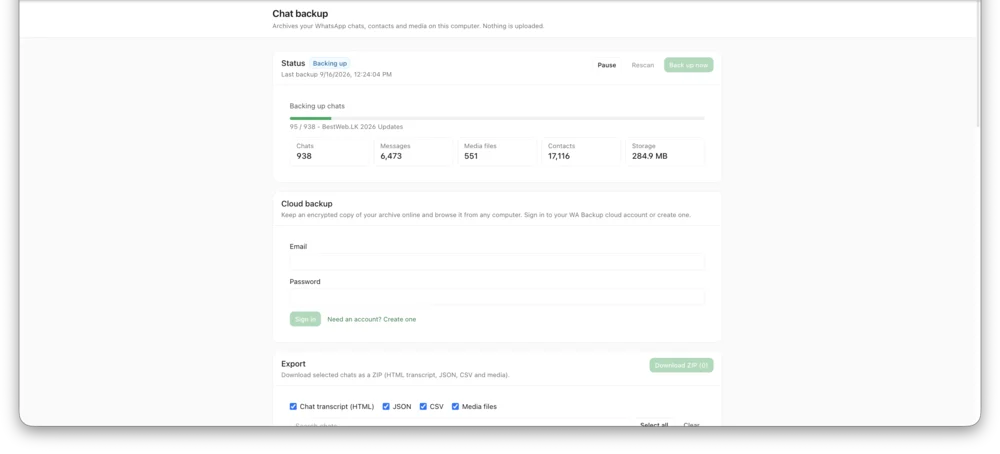
Actual InboxCRM screen.