Dashboard
Your WhatsApp toolkit for selling, messaging and automating — here's how everything is doing, and every tool one click away.
- 1
Click the grid icon in the sidebar to open the Dashboard.
- 2
Scan the tiles at a glance: Auto-attendance, Follow-up, Flow workflows, Schedule queue, Campaigns, CRM boards, Notifications, Quick replies, Contacts, Notes, Pinned chats, User tabs, Auto backup, AI, HTTP API and License.
- 3
Click "Open" on any tile to jump straight into that tool — no need to remember which sidebar icon it lives behind.
The Dashboard is the fastest way to see, at a glance, which automations are active and which ones still need setting up.
inboxcrm.extino.net — dashboard
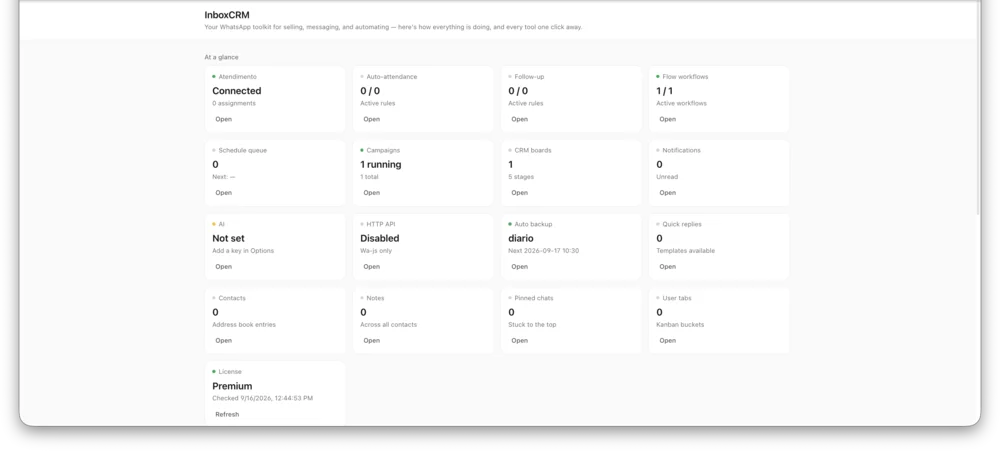
Actual InboxCRM screen.