Notifications & Reminders
Personal reminders that pop up at a time you choose — "call Maria back at 3pm" — plus automatic birthday reminders for your contacts.
- 1
Click the bell icon in the sidebar to open Notifications.
- 2
Click "New reminder" to set a personal reminder for a specific contact, date and time.
- 3
Turn on "Birthday reminders" and edit the template (using {{name}} and {{date}}) so InboxCRM checks contacts' birthdays daily.
- 4
Optionally tick "Auto-send message" so the birthday greeting goes out by itself, not just as a notification. Use "Test fire now" to preview it.
Filter by All, Due, Scheduled or Read so overdue reminders never get buried.
inboxcrm.extino.net — notifications
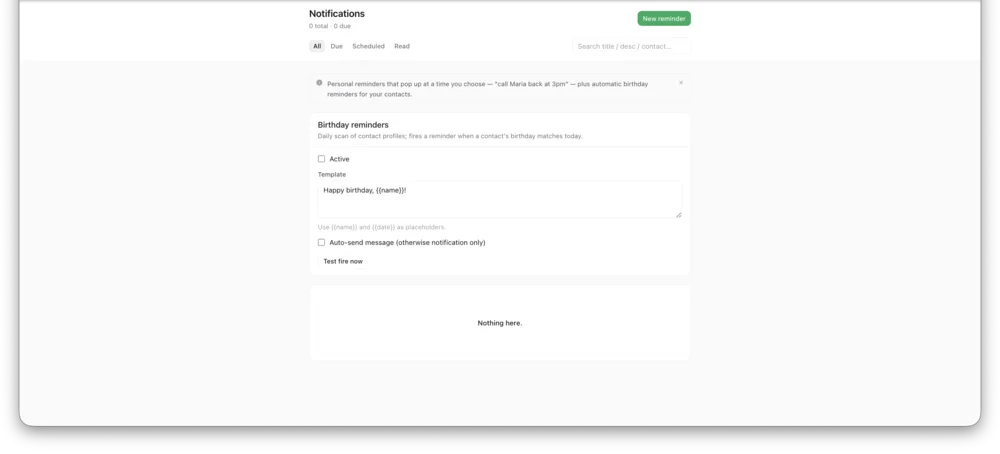
Actual InboxCRM screen.