Sales Funnel Dashboard
There's no funnel to build — it's created automatically from your CRM board. See conversion rate and revenue at a glance.
- 1
Click the funnel icon in the sidebar to open the Sales Funnel dashboard.
- 2
Make sure chats are sitting in stages on your CRM board — the funnel chart fills in by itself from that data.
- 3
Read the four top metrics: contacts in the pipeline, conversion rate (last stage ÷ first stage), average revenue per contact, and total revenue.
- 4
Switch the chart between "Count" and "Value", and click "Export to Excel" when you need the numbers outside the browser.
If a board has no chats yet, the dashboard shows you exactly the 3 steps to get it filling in.
inboxcrm.extino.net — sales-funnel
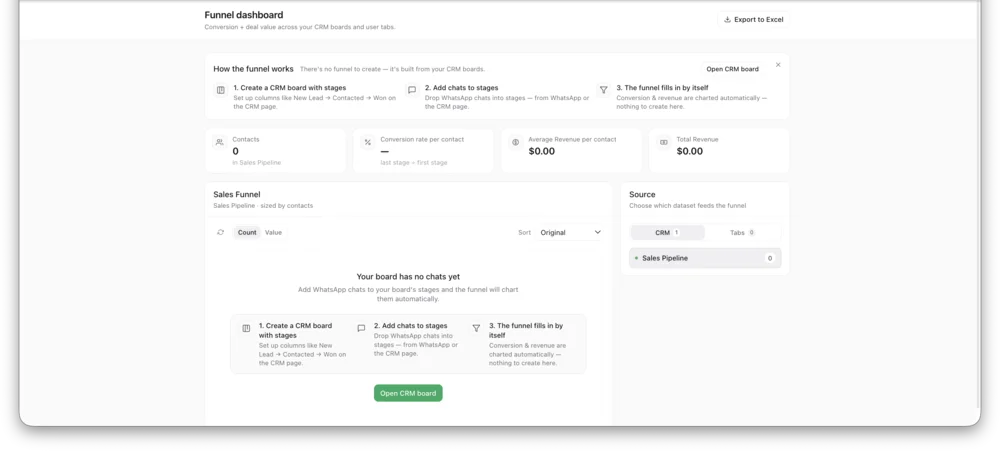
Actual InboxCRM screen.